Get the structure of aspartame (the hemihydrate, refcode DAWGOX), from the CSD, and load it into Cerius.
The structure is a hemi-hydrate. What is a hemi-hydrate? Is the amount of water in the structure correct?
The cif file from the CSD has all sorts of comments in it, with funny labels, like _refine_special_details. Cerius cannot read those, other programs probably can. Have a look at the cif file, and find out at what temperature the diffraction experiment was carried out, and why there are so many water molecules present.
The structure solved by X-ray diffraction is an average over time (the duration of the diffraction measurements) and space (the full crystal is represented as one repeating unit cell). The average structure in this case has P41 symmetry, but an individual cell at a given point in time has not; it has less symmetry, if it has symmetry at all. The effect that this has on the water molecules poses a problem in molecular mechanics calculations, as it cannot partial occupancies. Explain this problem.
How to proceed if we nonetheless want to carry out calculations? One way is to just eliminate water molecules until we arrive at an acceptable number of them. To do so, we first need to 'turn off' all symmetry, and treat the structure as if it were a P1 structure. Otherwise, if we eliminate one water molecule, we automatically eliminate all of them.
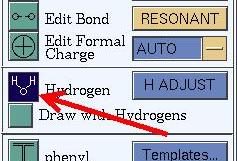
cleaning up the structure First do some basic 'cleaning' on the structure: correct bond orders and hydrogens that may be missing as well. Note that aspartame crystallizes a zwitter-ion, and has a -NH3+ group near a -COO- group. If you let Cerius 'adjust' the hydrogens, it will move one of the NH3 hydrogens to the COO group, which is wrong, so use that option with care! To add hydrogens to the isolated oxygen atoms, Cerius has a nifty tool in the 3D-Sketcher menu.
Turn the structure into a P1 structure, in the Crystal Building menu, in the BUILDERS 1 card, the first card on the card deck. The structure without symmetry is called superstructure in cerius, and can be crystalline (= a P1 crystal structure), or non-periodic. The latter option creates a bunch of isolated molecules in vacuum from a crystal structure.
Choose the first option (crystalline superlattice) to keep your crystal, but turn it into P1. Now you can remove individual atoms and molecules. If Cerius does not want you to operate on periodic structures, click UNBUILD CRYSTAL on the same card. This will temporarily switch off symmetry, including periodicity, and let you operate on the asymmetric unit. Create a realistic (hemi-hydrate) structure by removing part of the water molecules. Make sure that the remaining waters do not overlap one another. You can get the crystal structure back by clicking BUILD CRYSTAL. Save the structure that you have now, in msi format (e.g. as dawgox.msi).
symmetry The new structure is defined as having P1 symmetry, but is still somewhat symmetric. You can use the symmetry finder (BUILDERS 1 card, Symmetry --> | Find Symmetry) to detect the crystal's symmetry. You can also set a tolerance so that small deviations from the exact positions are ignored. What is the symmetry of the structure, and why?
hydrogen bonds Mother Nature (or was it Gibbs?) put in the water molecules for a reason: they form hydrogen bonds, of course! Have a look at the H-bonds, and see if they make sense. Why might the H-bond 'scheme' that you see right now not be optimal? How could this be corrected?
voids (open space) in structures Note that the water molecules are in rows along the 4-fold axis, and form channels through the structure. This feature is not uncommon for solvents that get co-crystallized. Sometimes, if the crystal is heated, the solvent will evaporate out of the structure, which is facilitated by the channels. The remaining crystal then will have an open structure, often an indication that initially something 'was there', that has moved out. A convenient way to find and examine voids is by making a Connolly surface. This is the surface as felt by a spherical 'probe' of a certain radius. If the probe radius is set to ~1.4 A, its size corresponds roughly to that of a water molecule.
Create a Connolly surface (under Geometry in the main visualizer window, choose Connolly Surfaces...), for the structure with, and without the water molecules. Decrease the probe radius until the water channel become clear. There is another channel in the middle of the unit cell. Why must the probe size be set to a much smaller value to see the water channels? Could there have been water in the other channel as well?
close contacts We can also check for the opposite of voids: atoms that are suspiciously close to each other. Such close contacts can be an indication that something went wrong along the way, but may also just show atoms that have a strong attractive interaction. Check for close contacts in the original CSD structure via Geometry | Close Contacts... . Explain what you see.
energy minimization As the basis for other calculations (morphology, mobility of the water, ...) we first must optimize the structure's geometry. Calculate the energy of the structure using Gaisteiger charges and the Dreiding force field. What is the energy? What happens to the unit cell? What can you say about the optimized cell in relation to the crystal's original P41 symmetry?
Save the optimized structure under a new name (e.g. dawgox_opt.msi).
The minimization you just did suffers from some artifacts, that result from the difference in symmetry between the true structure and our model. We can try to avoid these artifacts in part by fixing some of the cell parameters. This can be done in the MINIMIZER card, under Constraints-->. Which cell parameters would you constrain, and why?
Apply the constraints and again minimize the energy. What happens to the energy, and why?
Also save this optimized structure.
Note that constraints (fixed cell parameters, fixed atoms, groups of atoms defined as rigid bodies) are stored in the file if you save the model! This can by handy, but also confusing, if you use the model again later on.
Once you have done all this, get back to the main course page.